



Your CFO’s phone has malware on it.
Okay. Cool. Cool, cool, cool.
Of all the phones in the company, you got the one attached to banking apps, executive email, Slack, expense accounts, password resets, MFA prompts, travel plans, investor conversations, and a metric ton of other things nobody remembered to put in the incident response plan.
I’ve spent a lot of time lately writing about what Censys can do before an alert: detection engineering, threat hunting, and crunching Internet infrastructure into your own threat intelligence.
This one starts after the alert.
Mobile incident response is a particularly strange corner of SecOps. The threat landscape is evolving, confused by FUD. Your visibility is often thinner than it is on a laptop. The device moves between corporate Wi-Fi, LTE, hotel networks, and home networks.
The interesting artifact might be an APK, a URL opened from a text message, an IP contacted for 30 seconds, or nothing more than downstream evidence that somebody stole a credential.
Once you do get a public network IOC, however, the normal investigative questions still apply.
What exactly did my executive’s phone just talk to?
The incidents below are fictional, but the malware families, exploit infrastructure, and Censys observations are real, drawn from recent Censys ARC research by Aidan Holland.
Join me as we ruin two hypothetical SOC shifts. One Android, one iPhone.
Scenario 1: The Android
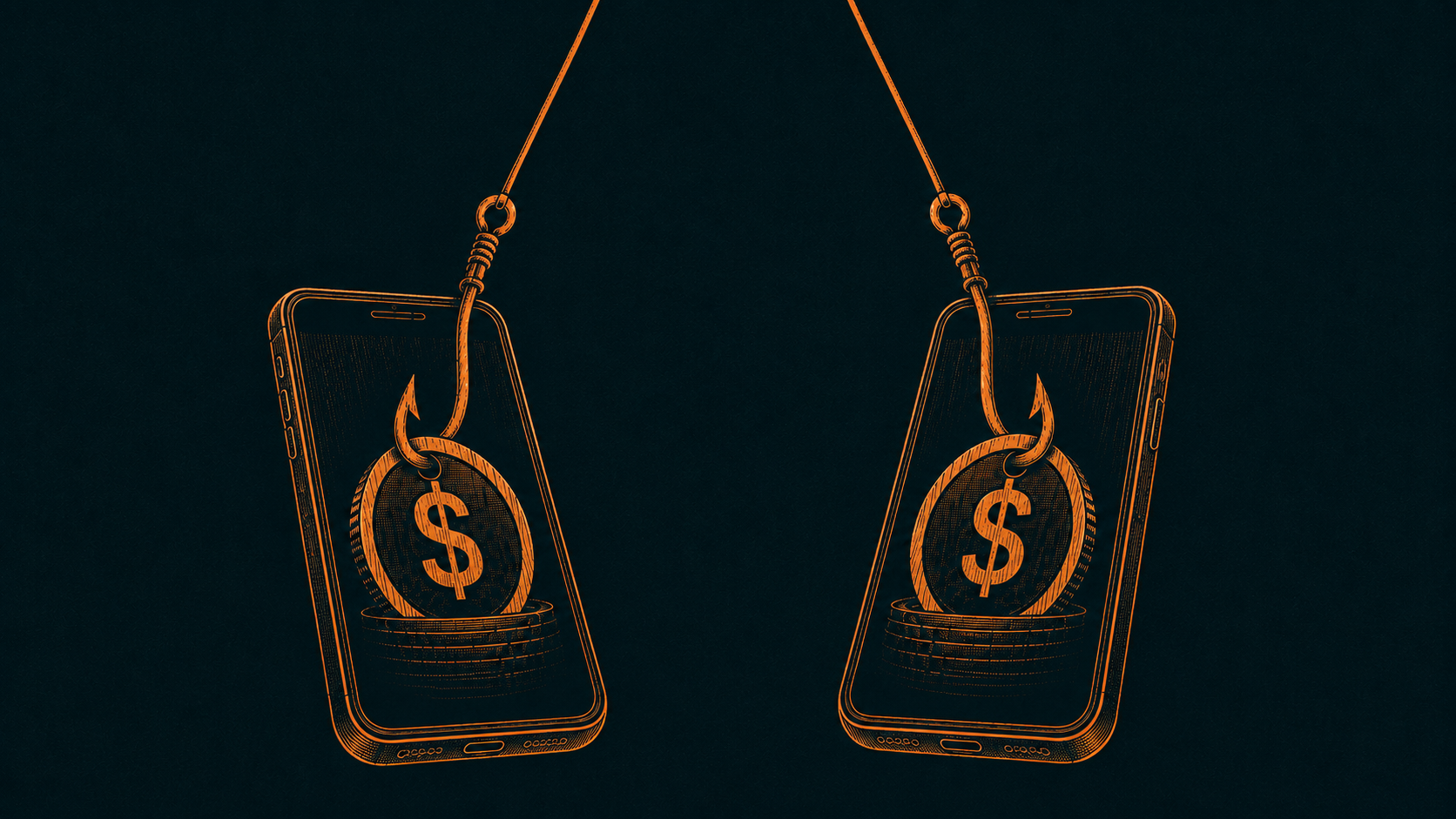
It is 9:12 AM and Microsoft Defender has some bad news.
Defender for Endpoint supports mobile threat defense on Android. It can also preserve useful context about suspicious APKs, including installation source, path, timestamps, permissions, and threat metadata.
Our fictional alert looks something like this:
Source: Microsoft Defender for Endpoint
Severity: High
User: CFO
Device: Corporate Android
Detection: Malicious application
App: Chrome Update
Install source: Sideloaded APK
Device risk: High
The CFO vaguely remembers installing a Chrome update from a link. Oh boy.
Defender has already given us something valuable: this is no longer just weird behavior on a phone. There’s a malicious APK on device.
First response action: thankfully, simple. Block the device from corporate resources, revoke active sessions.
Next: preserve the phone for investigation, and start working through credentials that may have been accessible from it. Get the APK, its hash, its install timestamp, and whatever network telemetry your mobile stack retained.
The executive gets a loaner phone. Now we figure out what happened.
This Isn’t Just a Bad App
Let’s say the APK resembles one of the ERMAC or HookBot builds recently investigated by Censys ARC. These descend from the same Android banking-trojan family.
The trick: convince someone to install the app, convince them to grant Android accessibility permissions, then use those privileges to watch and interact with other applications.
When the victim opens a targeted banking or cryptocurrency app, the malware can place a fake login interface over the real one. The password goes to the attacker, and SMS messages or two-factor authentication codes can go with it. Hook expanded the family further with capabilities for remote screen control, file management, and even WhatsApp manipulation.
Presto, “the CFO’s phone has malware” becomes an identity incident, a financial-fraud incident, and potentially a corporate-access incident almost immediately.
Censys ARC found 484 prepared application overlays in leaked panel software across more than 40 countries, including banks (like SMBC), wallets (like PayPal), and more than 30 cryptocurrency applications (like Coinbase).
That doesn’t mean confirmed hits on victims, but it does show exactly what the operators built the tooling to steal.
So the IR checklist gets bigger. Corporate credentials used from the phone need to be reset. Passwords stored in a password manager need to be evaluated. SMS-based MFA has to be treated as potentially exposed. Banking and cryptocurrency apps deserve attention too.
Identifying what the malware can do is only half of the investigation, though. We still need the other side of the connection.
Follow the Infrastructure
Suppose the mobile VPN logs show the infected device communicating with:
118.107.45[.]29
This is where an IOC can either become a blocklist entry, or the beginning of an investigation. Drop it into Censys Adversary Investigation.
Censys observed this host carrying a HookBot threat label from mid-July through August 13, 2026. Aidan’s investigation found that it belonged to a three-host CTG cluster. Later scans could no longer see the expected panel port.
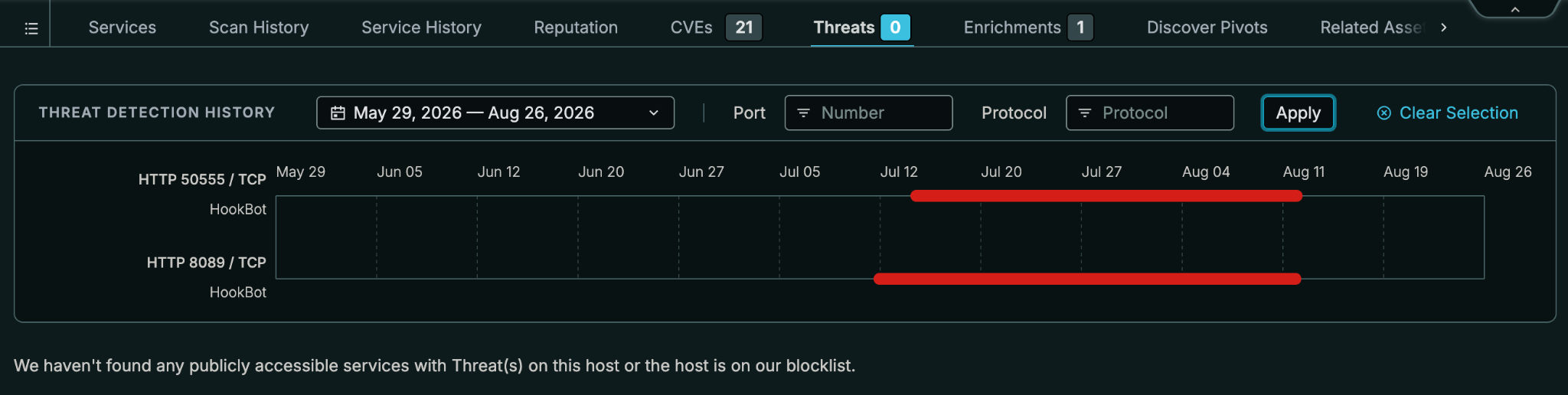
If you only checked what the server looked like right now, you might conclude that there are suspicious signals, but nothing concrete. In reality, the operators had turned on an IP-whitelist security gate.
The HookBot source contains firewall logic designed to hide the panel, API, and implant-facing socket from anyone not on an allowlist. A server can therefore look dead to a scanner while continuing to function perfectly well for the operator and infected devices.
That is a very different answer than “the IP does not currently expose a malicious service.”
For an incident responder, the distinction matters. Your phone contacted infrastructure that Censys had previously observed running HookBot, and that infrastructure later changed its externally observable behavior in a way that matches a security mechanism included in HookBot’s own leaked source.
Now we have high-level context.
Go Backward Before You Go Sideways
One of the most useful things about historical Internet data: the incident happened today, but the infrastructure existed before!
Censys Adversary Investigation lets an analyst explore current and historical threat infrastructure and pivot across previous observations. Censys Investigator can take indicators, inspect their history, analyze related assets, and return a report that preserves the evidence behind those relationships.
So before hunting for every IP vaguely related to the same ASN, look backward.
What ports did this host expose last week? Did it carry a threat label? What certificates, services, DNS resolutions, or other artifacts survived long enough to become useful pivots?
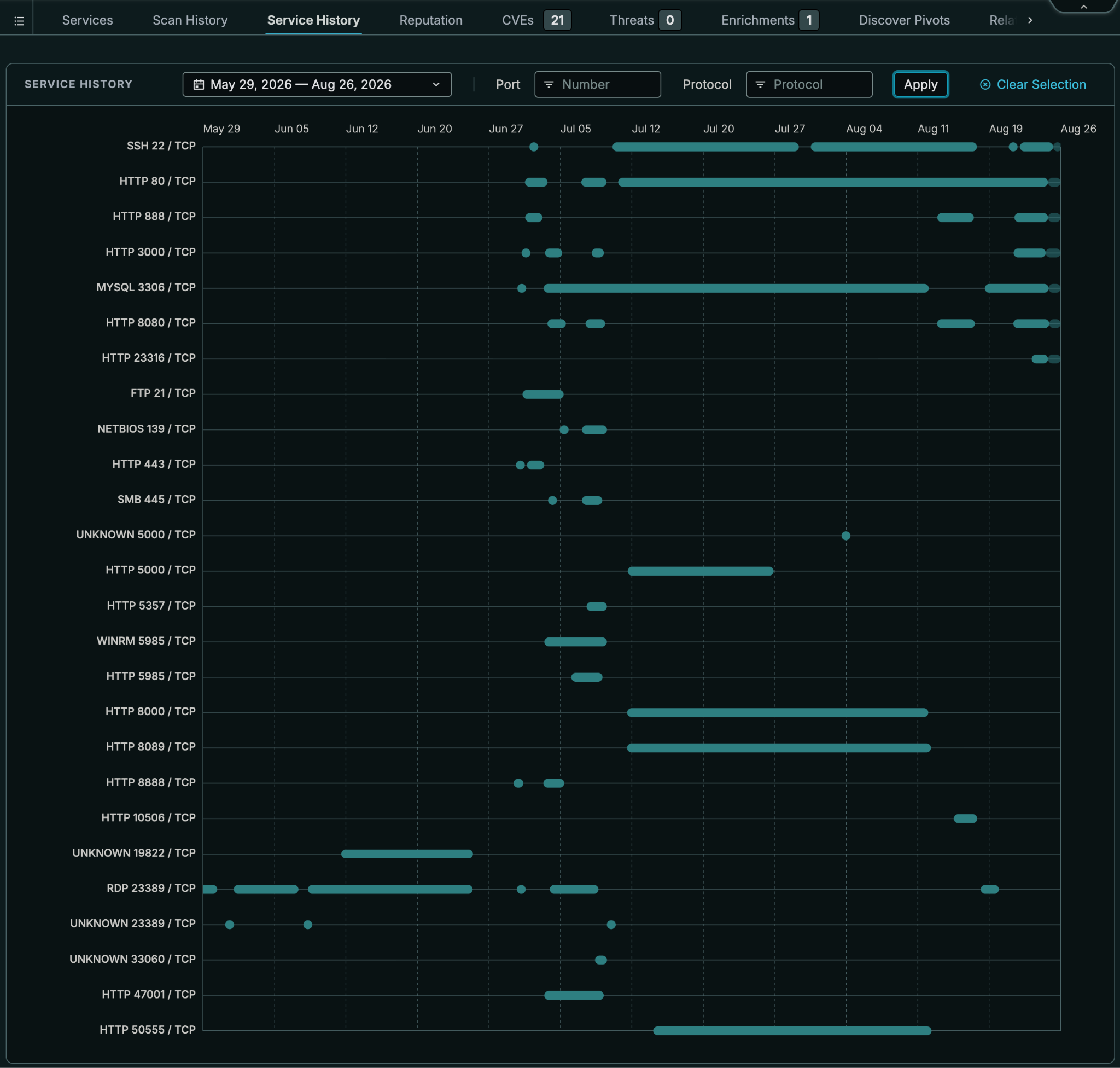
In Aidan’s HookBot research, this is exactly where the interesting part begins.
The malware’s infrastructure is built from a fairly repeatable stack. The leaked deployment uses a Laravel API, a WebSocket relay, an APK builder, MySQL, and the operator panel. Ports such as 8089, 8088, 8000, and 3434 recur because they ship with the stack.
Not every artifact is equally useful, though. Panel names are easy to change, IP addresses rotate, and ports can move or disappear behind an allowlist. One of the stronger signals Aidan found was the builder itself. Its bundled obfuscation pipeline contains a group of strings that operators cannot casually rename without breaking the build, and the builder port is conveniently omitted from HookBot’s own security gate.
This is the point where an incident responder stops asking whether one IP is bad and starts asking what infrastructure characteristics belong to the system that infected the CFO.
That’s a much better question.
Scope the Rest of the Company
Now take everything the investigation produced and turn inward. For example, trace the Active DNS resolutions to previous IPs that may also be in your logs. Ah, 23.248.212[.]122 and 156.234.84[.]242 have entered the chat!
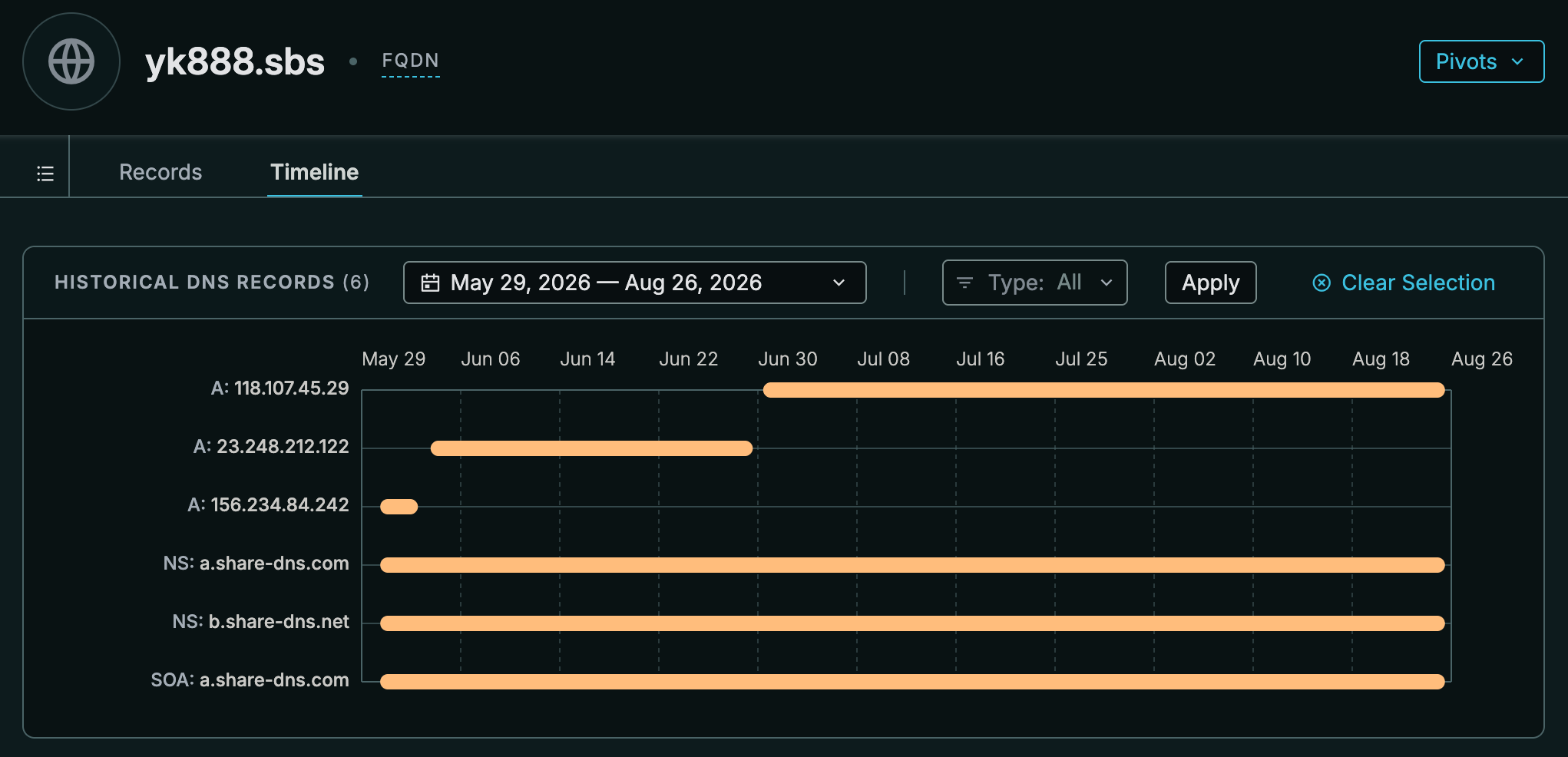
Search proxy, DNS, firewall, and mobile telemetry for the known infrastructure, then look for related domains and other phones that may have contacted hosts uncovered during the investigation. Search historical logs too. If the infrastructure rotated last week, today’s threat list will not save you.
Then take the more durable external traits and turn them forward. Add relevant infrastructure to a Censys Collection, track the pattern, and feed new observations back into the SOC. Maybe you write a detection around the infrastructure characteristics rather than waiting for another executive to install “Chrome Update.”
Incident response becomes detection engineering, more quickly than ever.
Scenario 2: The iPhone
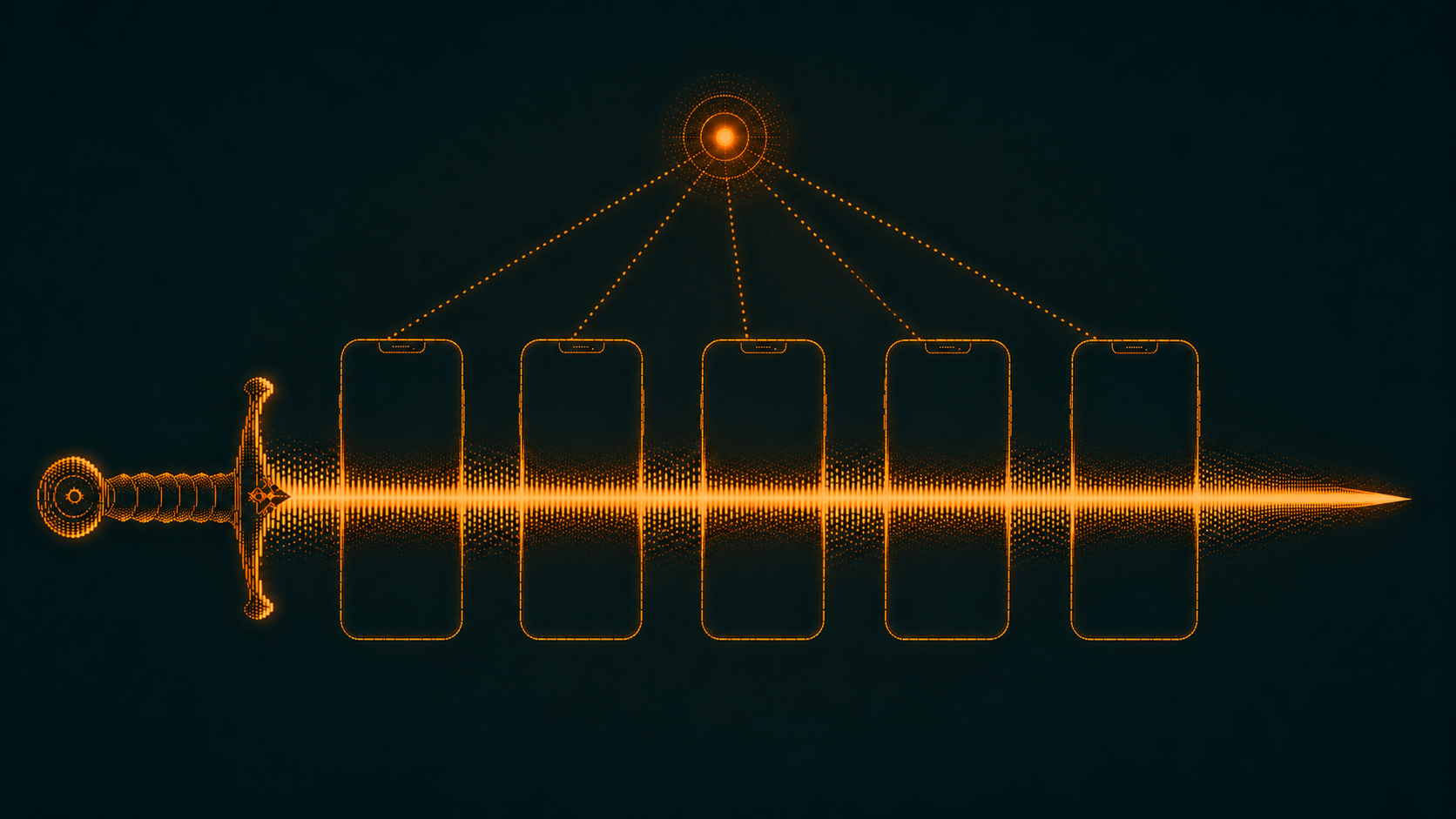
It can get worse.
This time the CFO has a company-issued iPhone, and there is no mobile-malware alert. Instead, the identity team sees something downstream: a suspicious session involving the CFO’s account from infrastructure that does not line up with their normal activity.
The SOC revokes the session and starts working backward. The CFO’s laptop looks clean, there is no obvious phishing email in the corporate mailbox, and nothing immediately explains where the credentials came from.
Then the CFO remembers something.
The previous afternoon, while traveling, they received a link on their phone and opened it in Safari. The page looked like an Apple sign-in prompt. They entered their Apple ID, something strange happened afterward, and they closed the page.
We have a timestamp, a device, and somewhere else to look.
The Phone Was Already Leaving Breadcrumbs
This is a corporate iPhone at a large enterprise, so the CFO does not have to remember to turn on a VPN before opening Safari. The device is supervised and managed through MDM, with Zscaler Client Connector deployed and enforced by IT. Internet traffic from the phone is automatically forwarded through Zscaler’s cloud whether the CFO is sitting in headquarters, using hotel Wi-Fi, or on cellular data.
Nothing necessarily looked malicious at the time. If the destination had not yet been categorized as threatening, Zscaler could simply allow the transaction and record it like any other web request.
We’re not investigating a precise alert – we’re investigating a confluence of history.
Into the SIEM, into the Zscaler web logs. Scope the search to the CFO’s identity and iPhone around the time they opened the link. Look at outbound web transactions. Zscaler’s web and mobile telemetry can preserve fields including the user, mobile-device information, URL or destination information, and the destination server IP.
Among otherwise uninteresting traffic is a connection to:
103.106.190[.]217
At the time, it was simply an allowed transaction.
That Is One Bad Apple
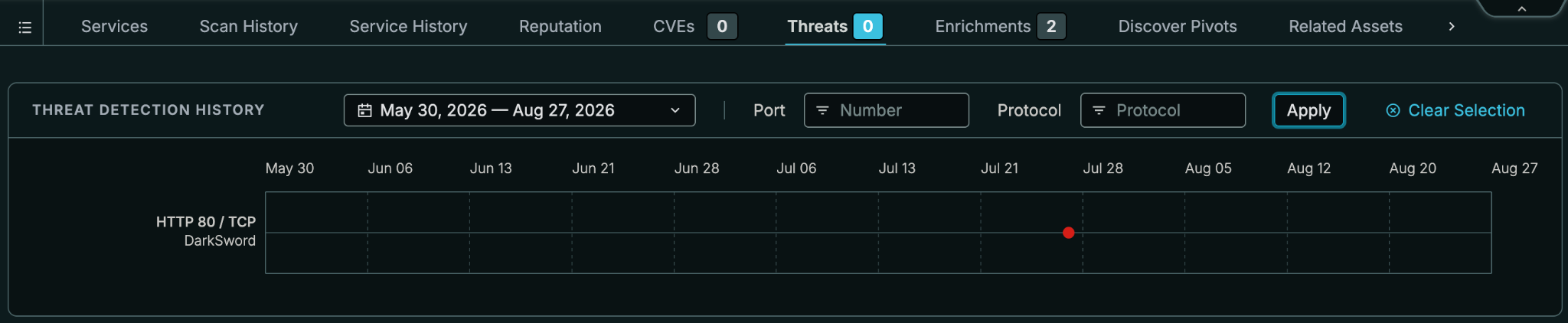
Censys ARC observed this host as part of a DarkSword cluster. DarkSword is a commercial iOS exploit chain built around six chained vulnerabilities spanning iOS 18.4 through 18.7. A successful chain ultimately deploys GHOSTBLADE modules capable of dumping keychain, iCloud, and Wi-Fi credentials and exfiltrating files.
This particular host makes the situation considerably worse.
Aidan found an Apple ID credential-harvesting page sitting directly alongside DarkSword exploit-chain staging infrastructure on 103.106.190[.]217. The same host also exposed a C2 Control Panel, and its TLS certificate was issued for ng28jt[.]xyz. It was the first host found in the ARC investigation that combined a credential-harvesting decoy and exploit-chain staging on the same IP.
Now return to what the CFO told us:
- They remember an Apple login page.
- Their managed iPhone connected to this IP during the relevant window.
An IP serving an Apple ID credential-harvesting page alongside an iOS exploit chain.
It’s enough to declare an incident, but is it enough to say the phone was exploited?
Phished, Exploited, or Both?
The Apple page could simply have stolen the CFO’s credentials. But the infrastructure was also capable of doing substantially more: chains of exploits, with cleanup behavior intended to remove artifacts when it finished.
For the IR team, the next question therefore isn’t simply whether the CFO typed a password into the wrong page. It’s whether their phone was running a vulnerable version of iOS when they did it.
If it was, the response gets much bigger. Revoke corporate sessions. Reset affected credentials. Review Apple ID activity. Determine what corporate secrets or credentials were accessible through the device. Preserve the phone for mobile forensics before wiping or rebuilding it, and make sure the replacement is running a patched version of iOS.
Then keep investigating the infrastructure.
One IP Becomes a Cluster
By now we know why 103.106.190[.]217 matters, but blocking one address is not much of an investigation.
Censys ARC found that DarkSword infrastructure rotated quickly, so Aidan pivoted on something more durable: the SHA-256 body hash of the DarkSword Admin page. That single artifact surfaced seven hosts across three countries, with the same panel appearing on :3000, :8443, and :8888 across unrelated networks. Five of those seven hosts had not been serving it one week earlier.
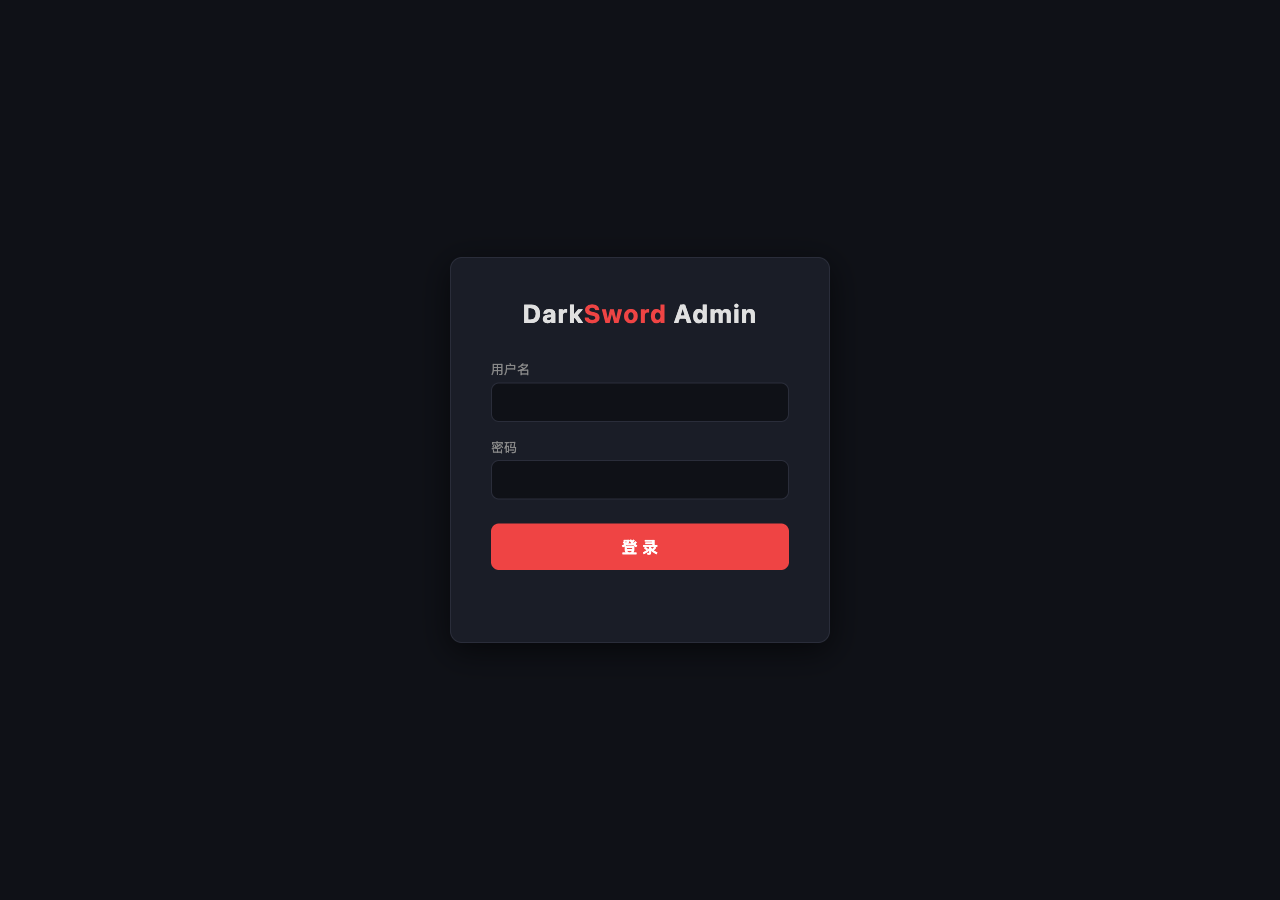
The deeper pivots add even more context: hosts co-located with other exploit panels, exposed MinIO, open directories containing .bash_history and ffuf artifacts, and certificates that revealed additional domains.
That gives the IR team a much better scoping set than one disposable IP. Search Zscaler, DNS, and SIEM history for the related hosts and domains, including activity that predates the CFO’s incident. The goal is no longer just to explain one connection, but to determine whether anyone else in the company reached the same infrastructure.
From IOC to Incident Finding
Finding: Historical web telemetry shows the CFO’s managed iPhone connected to 103.106.190[.]217 during the suspected compromise window. Censys observed that host serving an Apple ID credential-harvesting page alongside DarkSword iOS exploit infrastructure and linked it to a broader, rapidly rotating cluster.
It explains why the original connection matters, gives responders infrastructure to scope across the rest of the company, gives the mobile-forensics team a reason to investigate possible exploitation, and gives detection engineers something more durable to hunt than one IP address.
To round up the players here:
- Zscaler told us where the phone went.
- Identity telemetry told us something had gone wrong.
- Censys told us what was waiting on the other side.
The IOC Is Not The Incident
Two stories, same pattern.
On Android, an endpoint product gives us a relatively strong starting signal: malware detected, device compromised, go investigate. On iOS, we work backward from downstream identity trouble and a suspicious network destination.
Different alerts, telemetry, attack chains – BUT same investigative problem.
An IP address, domain, certificate, or hash is evidence of something larger. Attackers have servers, and those servers existed before your SIEM noticed them. They changed over time, shared infrastructure with other things, and exposed certificates, ports, HTTP bodies, software, panels, and occasionally their own sloppy open directories.
Incident response gets better when you can see that history.
Censys Adversary Investigation is built for exactly that transition: take one external signal and determine what the Internet already knows about it. Explore its history, pivot to related infrastructure, verify what is live, put the findings into a report, and then send what you learned back into the SOC.
The phone is clean now. The infrastructure that compromised it still may be your problem.