




Introduction
The Internet’s open directories are often overlooked, yet they frequently serve as unsecured staging grounds for adversaries, exposing everything from malware to reconnaissance logs. In the past, identifying these hidden caches of malicious intent has been a manual, regex-heavy challenge. We’ve made enhancements to our open directory intelligence by providing visibility and structured insights into exposed files within the directory and annotating specific directories to enable your team to proactively unmask adversary operations.
What are Open Directories
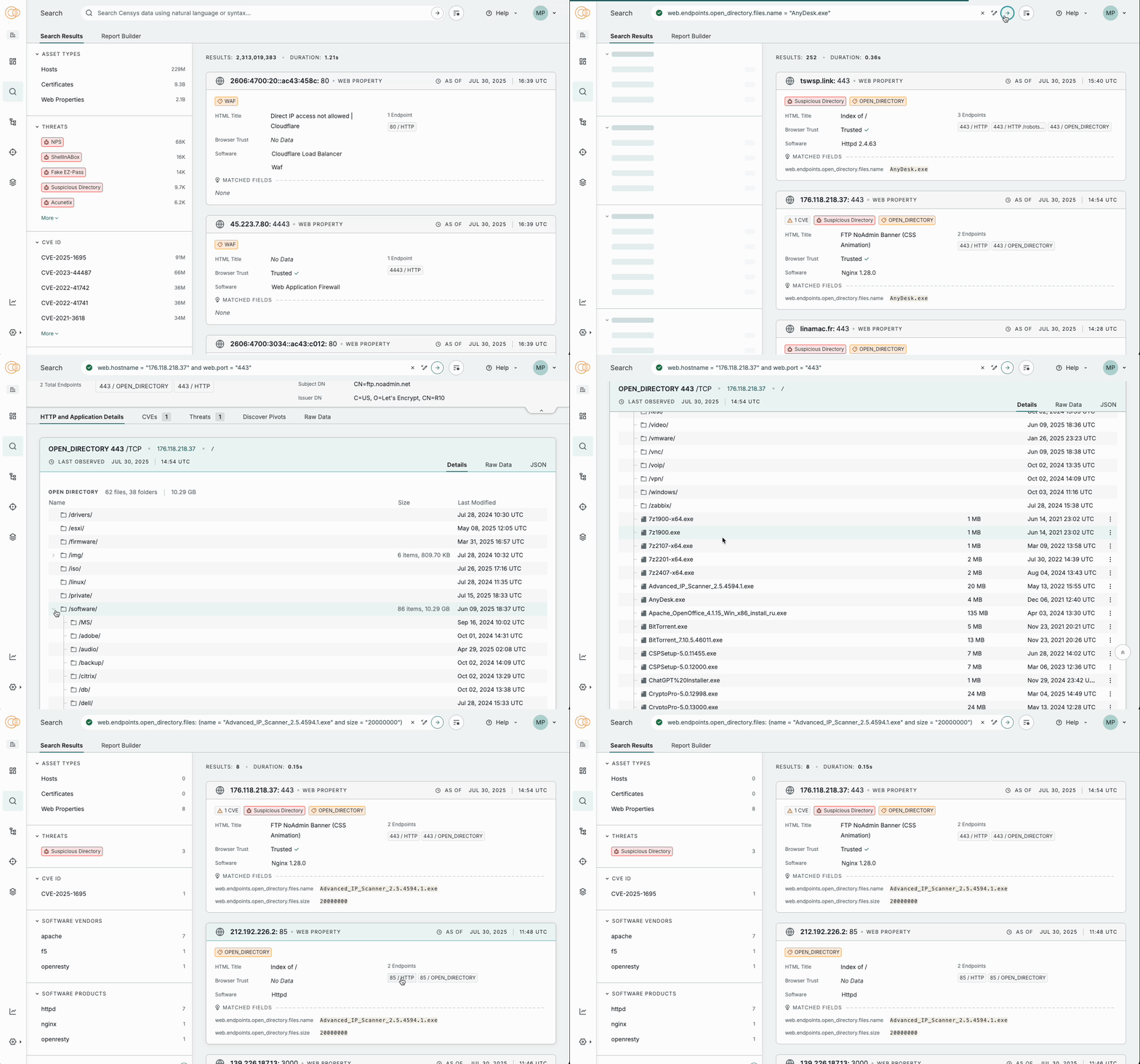
Open directories are servers that, due to misconfiguration or design, allow anyone to browse their files and folders without requiring authentication. This can include a wide range of data, from documents to images and even potentially sensitive information like credentials or private keys.
In the threat intelligence world, open directories can provide a lot of intelligence about adversary activity, including new tools, techniques, and even vulnerabilities that threat actors may be exploiting.
Enhancements We’ve Made
We’ve made enhancements to our open directory visibility on our Threat Hunting Module:
- We’ve added a Suspicious Directory Threat to track open directories that are storing potentially malicious files.
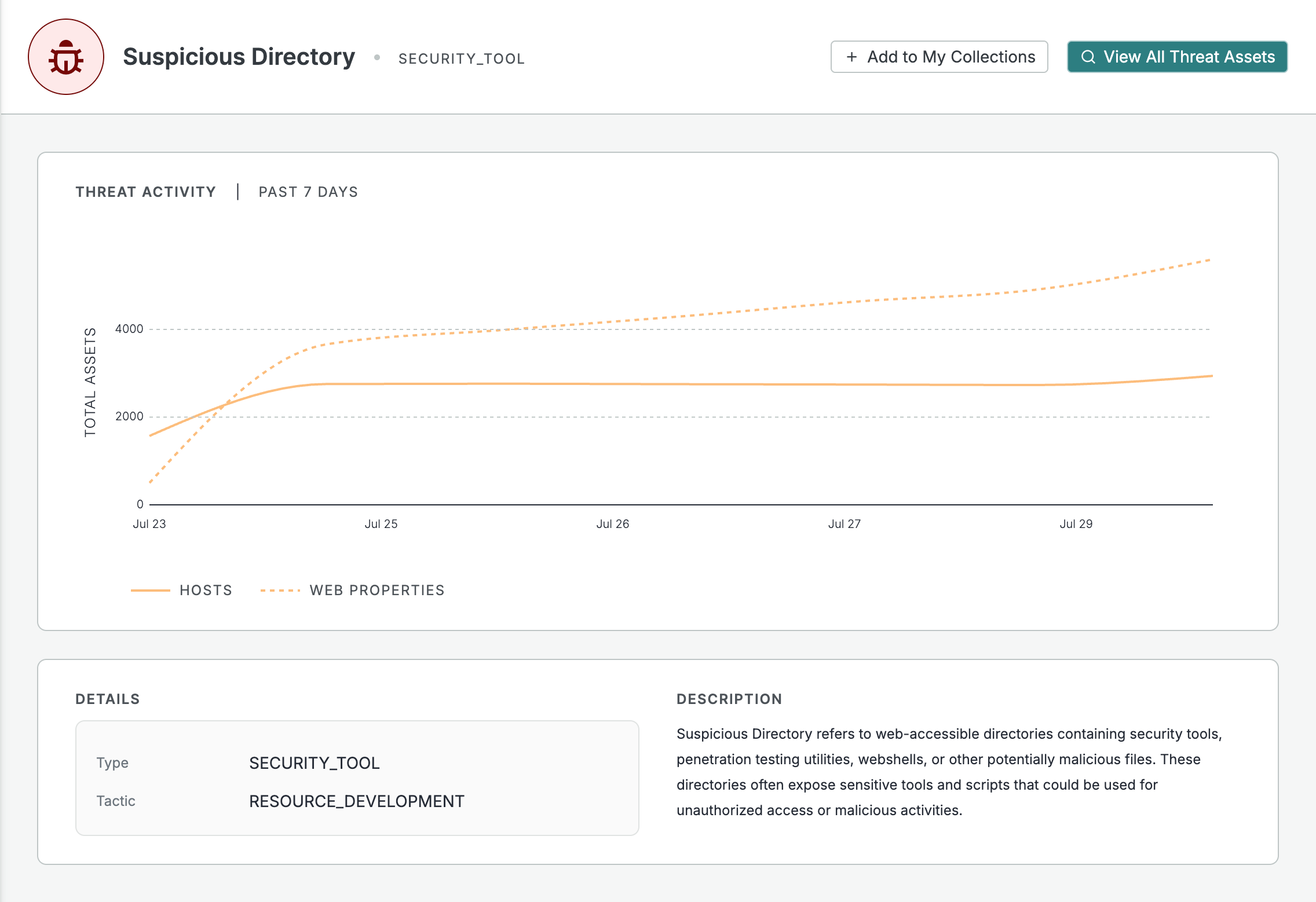
- We’ve added a specific Open Directory endpoint scanner that identifies and parses information about exposed open directories on the Internet. This includes the following new parsed fields you can view and search upon:
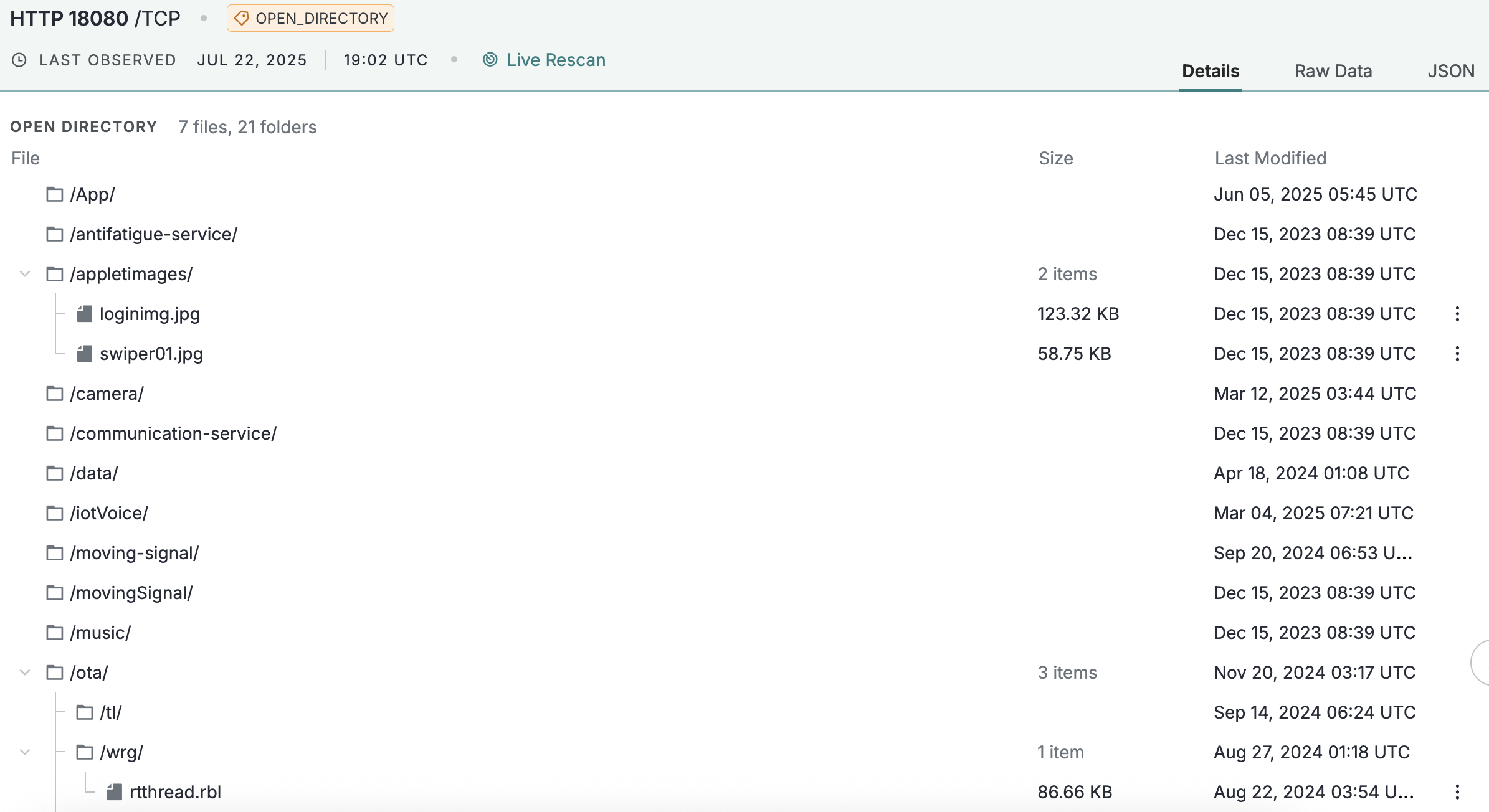
- We’ve enhanced the display of the Open Directory data in the UI, providing an easy-to-parse interactive representation of an open directory’s structure and files.
Why It Matters
Reduce Noise & Improve Focus: Filter out benign open directories to allow CTI and threat hunting teams to focus solely on those indicative of adversary activity using the Suspicious Directory threat.
Guide Defenses Against Future Adversary Moves: Provide timely insights into directories housing malware samples or exploit kits, before they are actively leveraged in attacks with the additional metadata we now return about these services.
Better Searchability and Visibility into the Directory: Before this enhancement, visibility into the contents of open directories was limited to what we returned in the HTTP body, making it difficult to quickly ascertain the nature of hosted files (e.g., type, size, modification date) without manual investigation and a lot of regexing. You can now easily see and search on fields to quickly accomplish your use cases.
How to Use Open Directory Intelligence
Proactive Monitoring and Defense
If you keep up with malware industry news, you’ll come across regular research on how open directories can provide early intelligence about threat actor operations (recent case study: the “You Dun” group) and specific adaptations of tools and frameworks (recent case study: Unmasking the Infrastructure of a Spearphishing Campaign). Not to mention, there are just a ton of fun Internet dorks you can explore in open directory data (recent case study: Dorking the Internet: Unlocking Secrets in Open Directories).
For teams that are tasked with understanding evolving TTPs of their adversaries, having a search engine over all open directories exposed on the Internet can be a game-changer.
Viewing All Open Directories Hosting a PowerShell Script
It’s no secret that adversaries often use PowerShell commands and scripts for execution (MITRE). To bolster your proactive defenses, you can use Censys’ Threat Hunting Module to search for all open directories on the Internet that are hosting PowerShell scripts by running this simple query: web.endpoints.open_directory.files.extension: “ps1”

Search: https://platform.censys.io/search?q=web.endpoints.open_directory.files.extension%3A+%22ps1%22
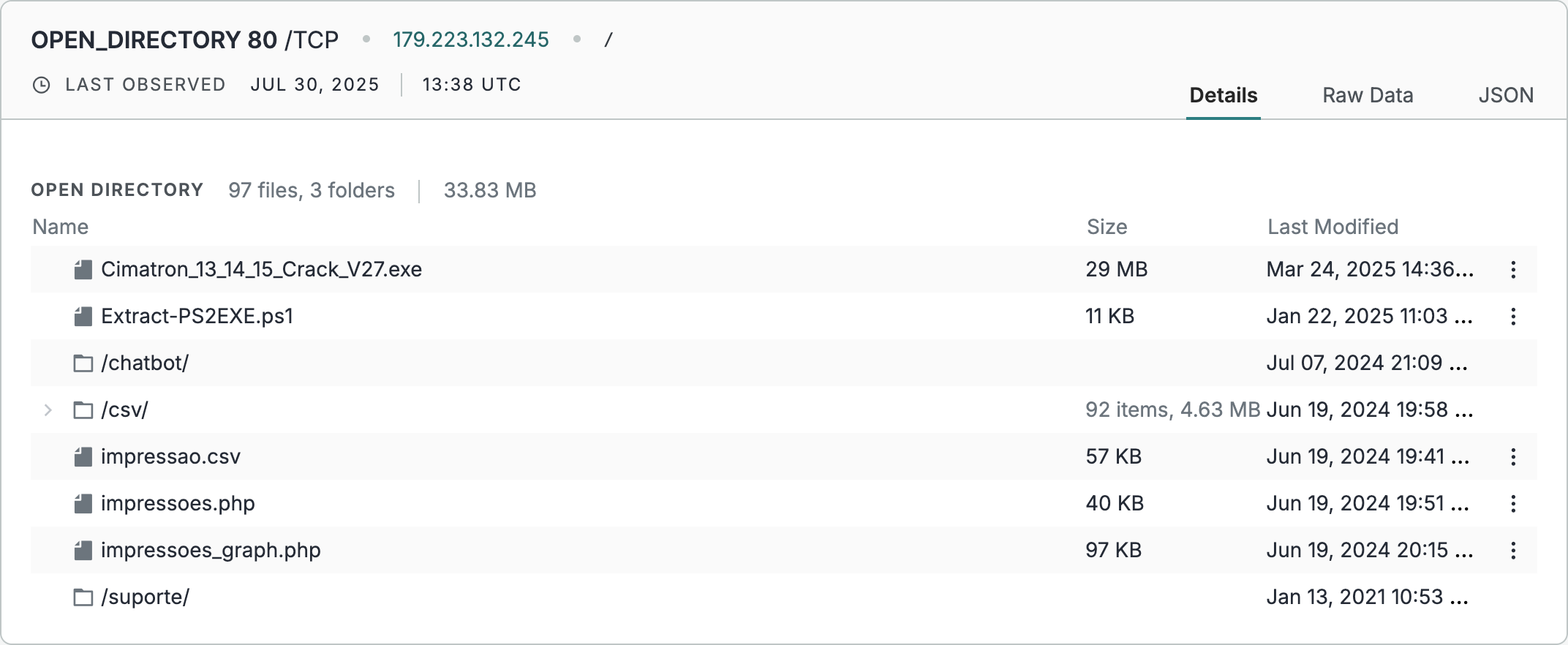
You can view the contents of the open directory for a specific web endpoint (hostname:port) on a details page.
Generate a Report to View all PowerShell Script File Names
Using our report feature, you can view a breakdown of all the Powershell Script File Names we observed – allowing you to correlate these with any other adversary intelligence and naming conventions.
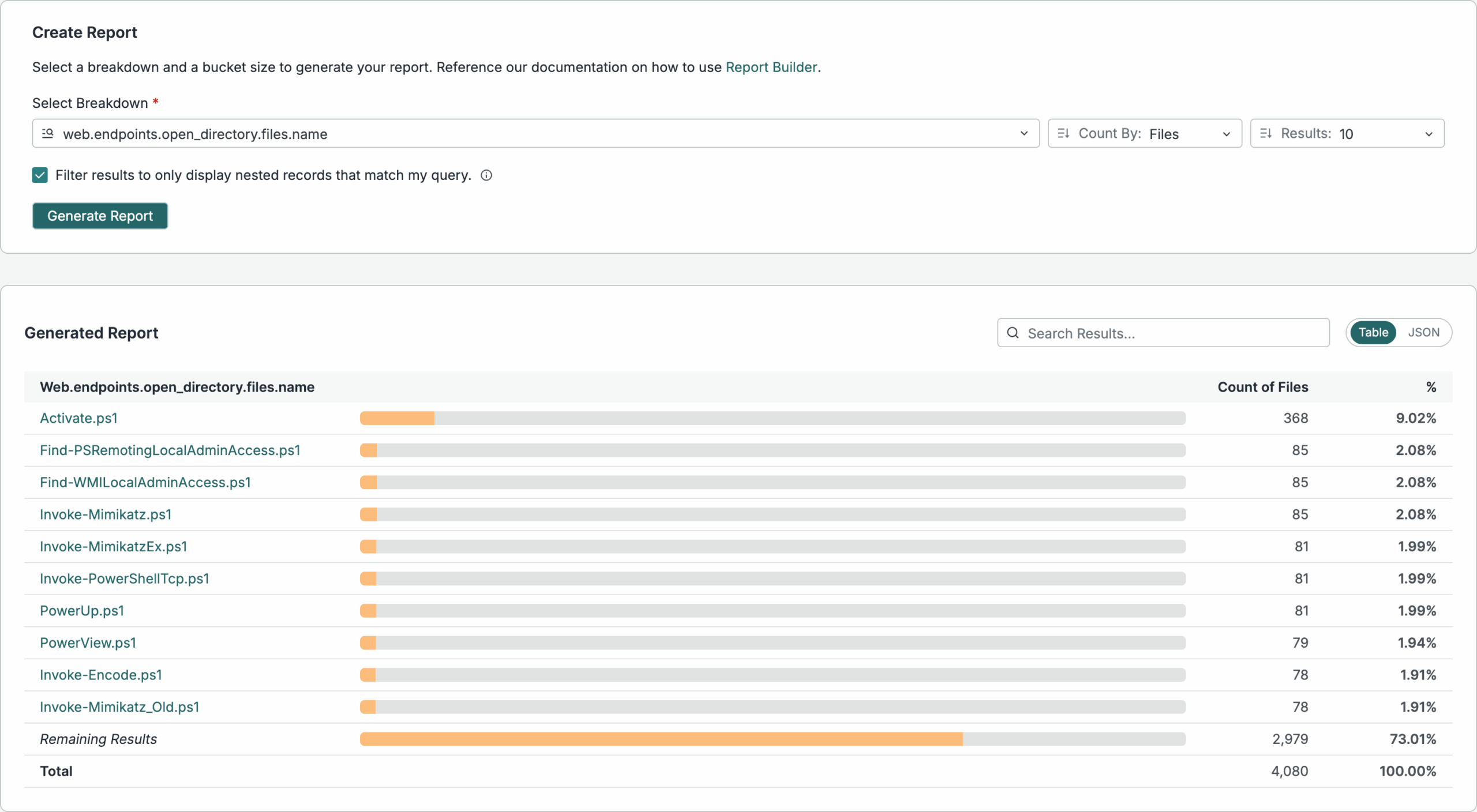
Note, this image is only displaying the top 10 results; you can expand the number of results shown in your investigations.
Using the API, create a list of infrastructure that a Malware Analysis team can further inspect with a sandbox
curl --request POST
     --url 'https://api.platform.censys.io/v3/global/search/query?organization_id={org_id}'
     --header 'accept: application/json'
     --header 'authorization: Bearer {personal_access_token}'
     --header 'content-type: application/json'
     --data '
{
  "query": "web.endpoints.open_directory.files.extension:"ps1"",
  "fields": [
    "web.endpoints.open_directory.files.name",
    "web.endpoints.open_directory.files.extension",
    "web.endpoints.open_directory.files.last_modified",
    "web.endpoints.ip",
    "web.hostname",
    "web.port",
    "web.endpoints.http.uri"
  ],
  "page_size": 100
}
API Docs: https://docs.censys.com/reference/v3-globaldata-search-query
For good measure, ensure none of the devices in your network are making outbound connections to hosts or web properties with a suspicious open directory
While not all attacks have patterns where the C2 infrastructure is also running an open directory with exposed files, there have been cases (like in the You Dun) example where logs from the attack were seen on the open directory. It’s best to assume that there are not legitimate reasons for most users to be connecting with hosts that are hosting suspicious scripts, executables, and adversary toolkits.
To do this:
- Build a collection either using the Suspicious Directory threat we have (or any query of your choice) to monitor for infrastructure changes.
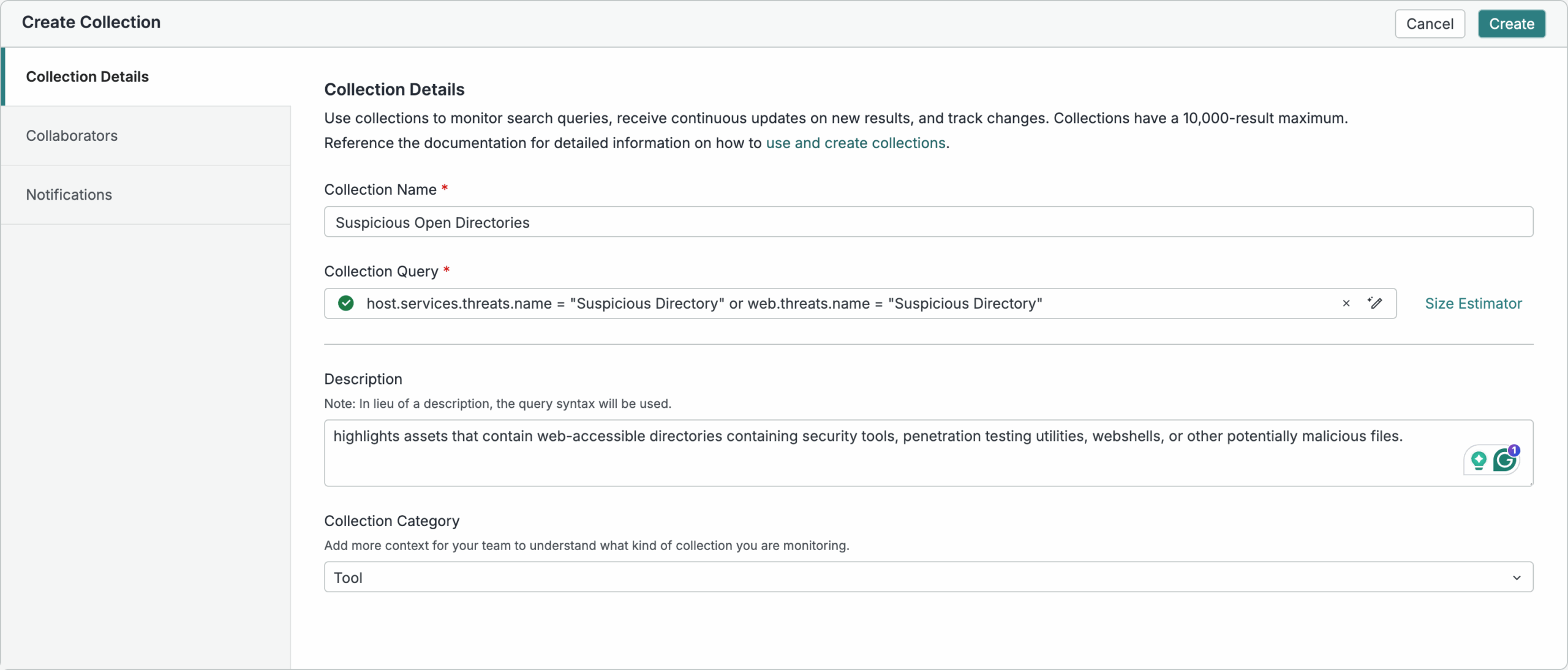
Documentation on Building Collections: https://docs.censys.com/docs/platform-collections
- Configure webhooks to get alerted on new alerts
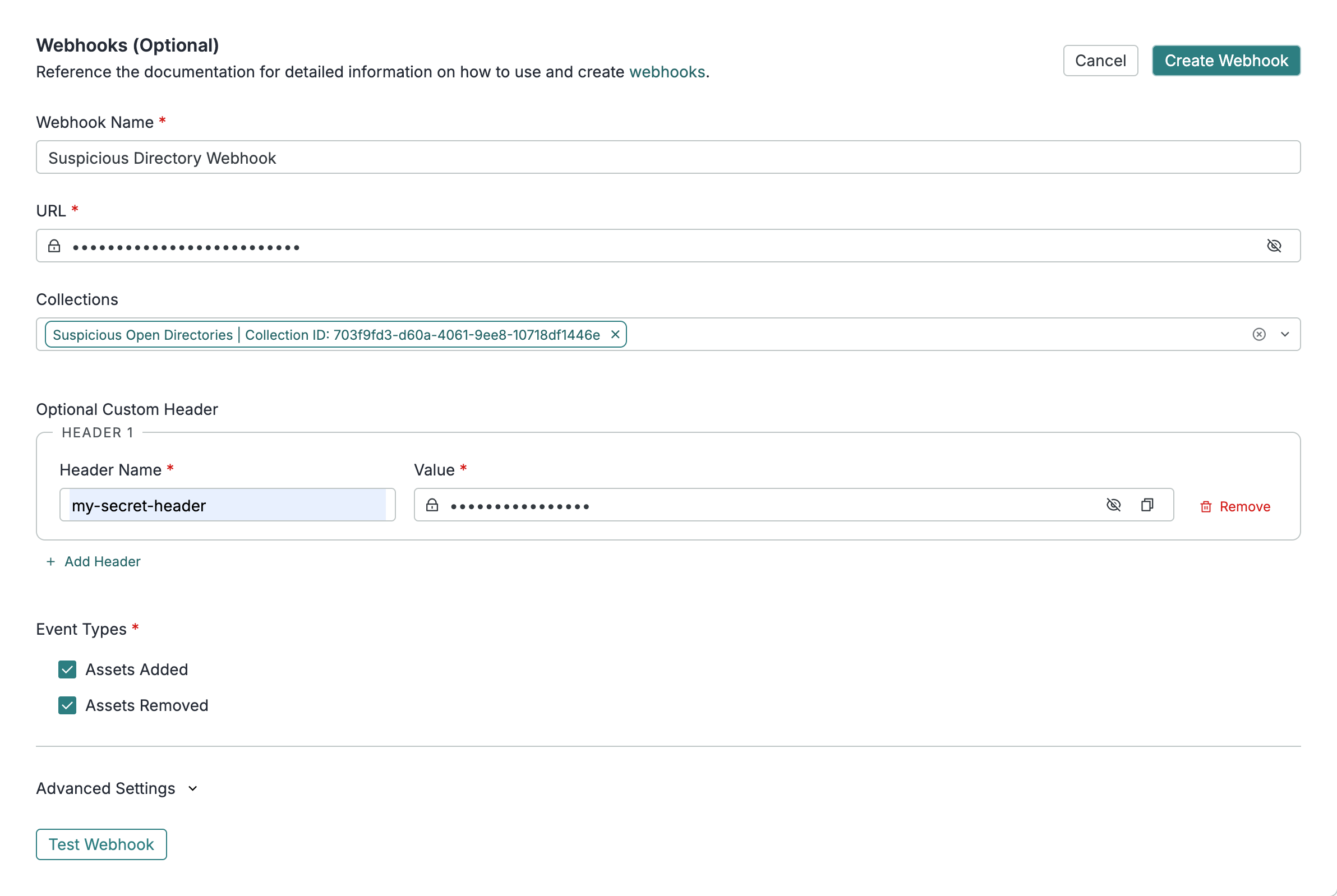
Documentation on Creating Webhooks: https://docs.censys.com/docs/platform-collections-webhooks
- Use those webhooks to dynamically update firewall rules and or flag outbound connections.
Why Trust Censys with this Intelligence?
Censys has a unique visibility into open directories given our scanning coverage, frequency, and accuracy. Here are some stats about open directories that emphasize why you should be trusting Censys’ coverage, frequency, and research-trusted data that you can use in your operations.
- Coverage is Important: We observe open directories running on 42,919 unique ports
- Suspicious Things Hide on Obscure Ports: While 93% of open directories we see are running on 443 and 80, suspicious open directories are often run on more obscure ports. We see 44.77% of suspicious open directories running on ports other than 443 and 80.
- Scanning Frequency Ensures You’re First To Know about Changes: 9% of open directories we observe have files that have been modified within the past 24 hours. 2.5% have files that have been modified in the past 6 hours.
Read More about Open Directories from our Blog and Technical Docs
Ready to Get Started?
You can still use our open directory label to search for open directories on the Censys Platform. The suspicious directory threat, the additional metadata, and the tree structure display are all features that are part of our new Threat Hunting Module.
Stop by our booth #5833 at BlackHat USA 2025, schedule a demo or talk to your customer success team about trying our Threat Hunting Module today.