





Censys recently released an MCP Server for Censys Attack Surface Management (ASM) to bring AI tooling and access to Censys ASM data. This release offers a new way to put your ASM data to work inside the AI assistant or copilot of your choice. Instead of digging through dashboards or manually pivoting across tools, you can now ask questions in plain language and instantly get context-rich answers from Censys ASM.
With this release, your ASM data becomes AI-accessible, making it easier to pull insights, prioritize risks & exposures, and automate repetitive analysis. The result: your team spends less time verifying and sorting through findings, and more time mitigating real risk.
The ASM MCP Server also allows you to leverage ASM data alongside other MCP-supported security tools, including the Censys Platform. This enables AI-driven investigations and workflows that span across your environment. In this blog, we’ll explore a few practical examples of how you can use this new capability to accelerate investigations, streamline triage, and keep your attack surface under control.
The Specifics: What Can the ASM MCP Server Do?
The Censys ASM MCP Server can be used by any ASM user with access to the API. You can perform inventory searches, asset lookups, and risk lookups, while also aggregating ASM data. It allows you to do the following from the AI tool of your choice:
- Interact with ASM using natural language prompts without being an API or query expert.
- Get instant insights about your attack surface and prioritize your efforts based on risk.
- Use an AI agent to automate manual and repetitive actions.
- Automate across entire workflows by using the Censys MCP Server with other MCP-supported tools.
Once set up, you can use natural language prompts to get critical insights about your environment such as:
- Are any assets in my inventory vulnerable to CVE-2025-54309?
- What new assets appeared in my attack surface with critical risks in the last 24 hours?
- What are all the cloud vendors in my attack surface?
- Can you tell me about all the risks on 1.1.1.1?
Learn more about the ASM MCP Server
Let’s take a look at a more detailed use case scenario:
Use Case Scenario: Find New Assets With Critical Risks
For this use case, you can input a simple prompt in your AI tool to pull a summary of all new assets with critical risk:
“What new assets appeared in my attack surface with critical risks in the last 24 hours?”
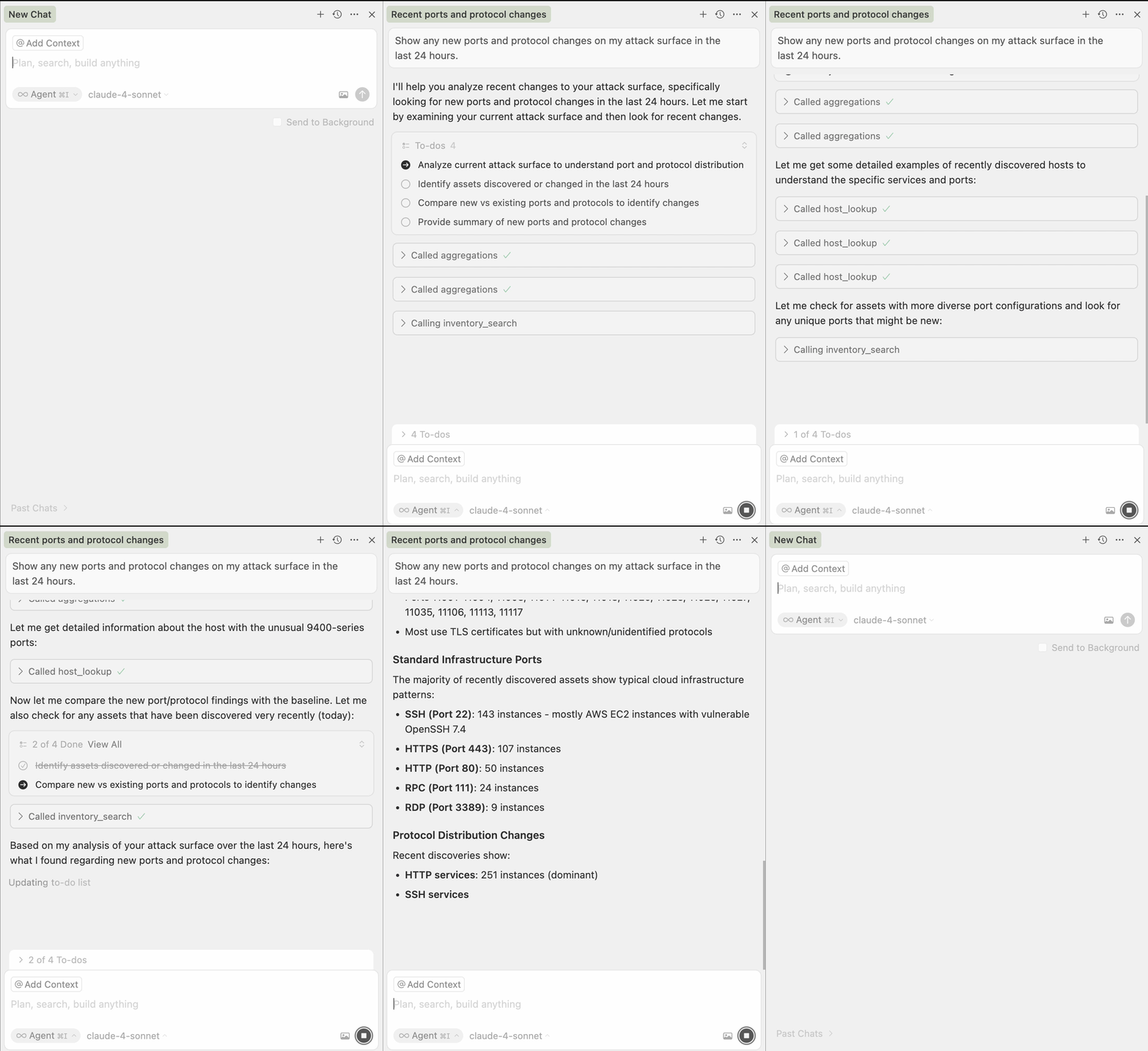
In this example, we ran the prompt with Claude within the Cursor code developer environment, but you can run this with any MCP-supported AI tool.
When we ran this prompt, Claude used the Censys ASM MCP Server to discover and analyze the entire attack surface, identify 84 new assets and 292 critical risks, and return a summary of critical risks and recommendations in just a few minutes.
From one natural language prompt, you can quickly see your most critical risks that need immediate attention. And because Censys ASM is built on the Censys Internet Map, the most accurate view of your attack surface, your AI assistant is using the best data to accomplish the task.
Learn how to set up ASM MCP in the AI agent of your choice.
Use Case Scenario: Identify All Hosts with Expired or Soon-to-Expire Certificates
In another example, we’ll take the essential task of identifying all hosts with certificates that have expired or will expire in the next 30 and automate it so you get full insights within minutes. Once you have set up the Censys MCP Server, you can complete this task with a simple prompt:
“Show hosts with certificates that have expired or will expire within the next month.”
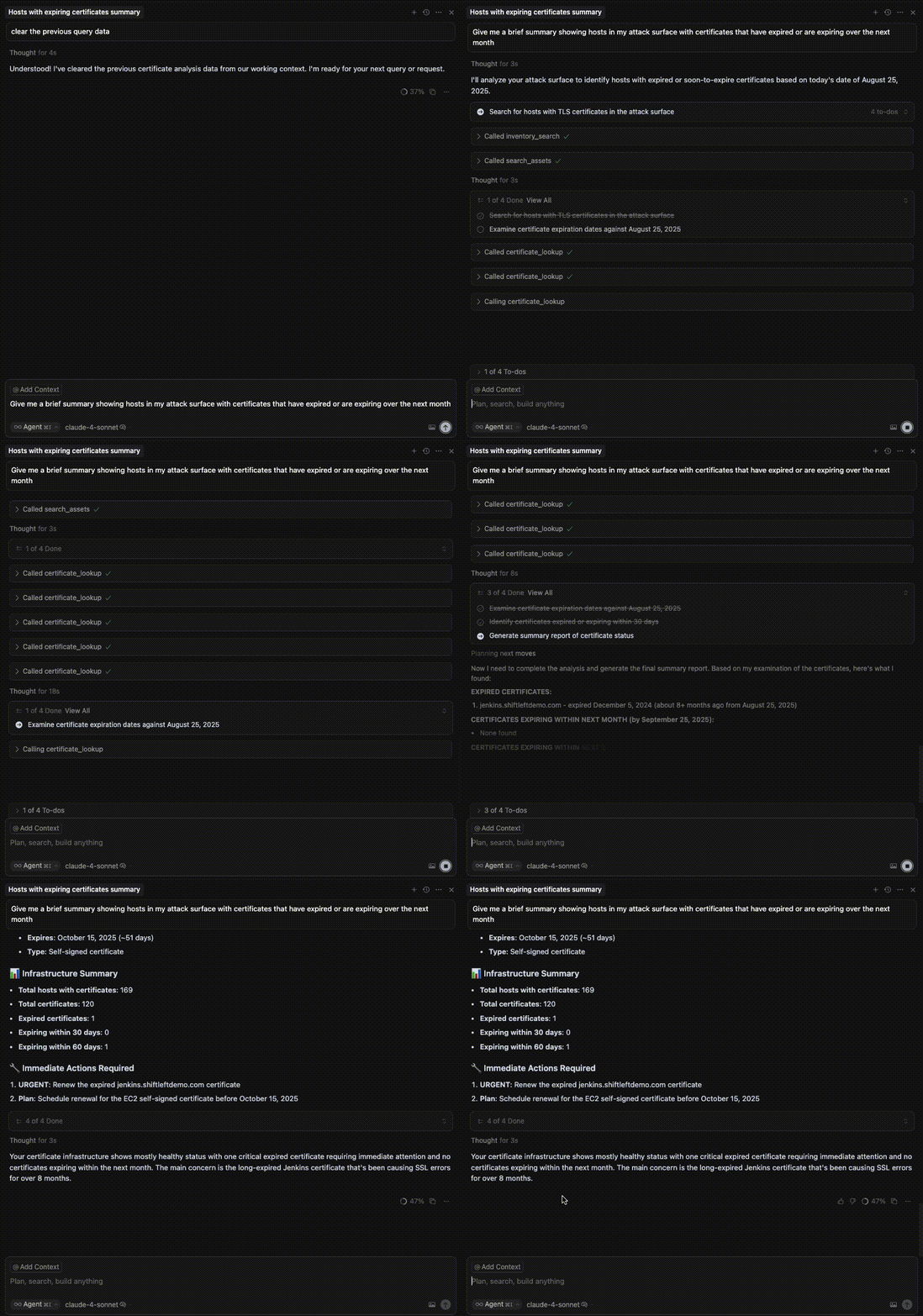
Again, this process condenses several multi-step actions into a matter of minutes — all from a single natural language question. This reduces the time and complexity required to either create the query using the API or log into ASM to retrieve the data manually. The result is less tedium and fewer errors that come with manual processes so analysts can focus on what’s important: fixing issues and closing vulnerabilities.
Start Exploring
In this blog, we have only scratched the surface of the Censys ASM MCP Server’s potential. The ability to combine Censys ASM with your AI system and other MCP-supported tools expands the ways you can interact with ASM data and automate your workflows. For example, because Censys Platform also supports the MCP Server, you can interact with the data from both at once without having to switch between tools.
If you are already a Censys ASM customer, you can explore how to leverage the new MCP server by reading our ASM MCP documentation. If you don’t have Censys ASM, you can schedule a demo today to see how our attack surface management solution and our MCP server can help.